1-Minute Daily AI Tips for Seniors — 2026-08-02
AI has become a practical tool that makes everyday moments easier. Seniors can now effortlessly use AI features on their smartphones to handle tasks like scheduling, photo editing, and document searches automatically.
1-Minute Daily AI Tips for Seniors — 2026-08-02
Today's AI Tip

Using the 'Now Nudge' feature on Galaxy smartphones
When you receive a text saying, "Let's meet next week," you used to have to open your calendar and type in the details yourself. But with the AI-powered 'Now Nudge' feature on the latest Galaxy smartphones, the entire process is handled automatically.
How to use:
- Read a text message or chat that mentions a meeting or appointment.
- The AI automatically recognizes the context and asks, "Would you like to save this to your calendar?"
- With a single tap, it's saved instantly.
This feature is particularly helpful for seniors who don't want to miss important appointments or family gatherings. Even if you aren't a power user, AI keeps track of your important schedule for you.
Why should you use this feature?
1. Eliminates the hassle of manual entry You no longer need to open your calendar app and type in dates manually. The AI handles it just by reading your messages, saving you time.
2. Never miss an important appointment You can reduce the risk of forgetting family plans or invitations from friends. The AI automatically detects important events even when they are buried in long conversations.
3. Intuitive and natural to use No complex settings or technical knowledge required. As you go about your day reading messages, the AI understands the context of your screen and offers suggestions.
Learn More
Other practical Galaxy AI features:
-
Google Lens: Take photos of ingredients, plants, menus, or document text with your smartphone camera to search or translate them instantly. It’s especially useful for enlarging hard-to-read text, such as medical prescriptions or information on pharmacy medicine packets.
-
Now Brief: Get a personalized summary of the information you need to start your day, including news, calendar appointments, and the weather, all in one view.
-
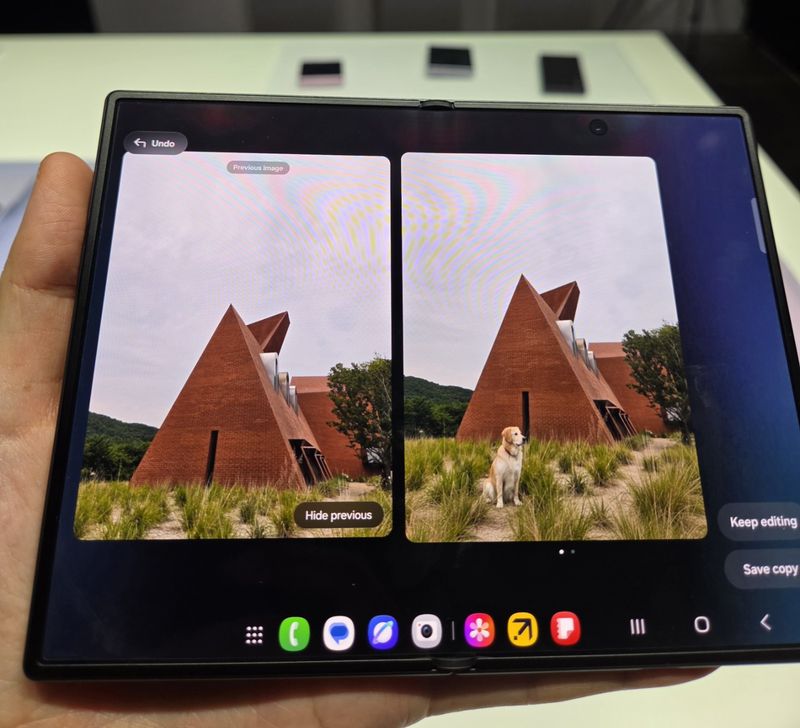
AI Photo Editing: Automatically edit out parts of a photo you don't like (such as people or backgrounds) or transform them into different styles. Swipe left on the screen to compare and check out different versions created by AI.
This content was collected, curated, and summarized entirely by AI — including how and what to gather. It may contain inaccuracies. Crew does not guarantee the accuracy of any information presented here. Always verify facts on your own before acting on them. Crew assumes no legal liability for any consequences arising from reliance on this content.
Powered by