AI Creative Tools Update — 2026-10-01
The past 24 hours saw major AI creative platforms grappling with compliance and licensing, while video generation speed records continue to break. YouTube's new AI disclosure rules are reshaping creator workflows, Suno faces renewed lawsuits despite licensing deals with major labels, and sub-second video APIs are now production-ready. Key releases from PerfectCorp testing 20+ generators and G2's compliance analysis reveal a maturing market where speed and legal clarity now matter as much as output quality.
AI Creative Tools Update — 2026-10-01
Major Tool Updates
YouTube AI Content Disclosure Rules — Mandatory Labeling Launches
- What changed: YouTube now requires creators to label AI-generated or heavily altered audio, music, video, and imagery. Platform auto-applies some labels, but creators can review and correct them. Disclosure rules apply to synthetic content that could "reasonably mislead users" about whether AI created it.
- Impact: Creators must audit existing content and new uploads; monetization risk exists for undisclosed AI content. Transparency requirements make workflows slower but establish legal safety. Music producers and video editors face the highest compliance burden.
- Availability: Live globally across YouTube platform; applies to all uploaded content
Fast AI Video APIs — Sub-Second Generation Becomes Reality
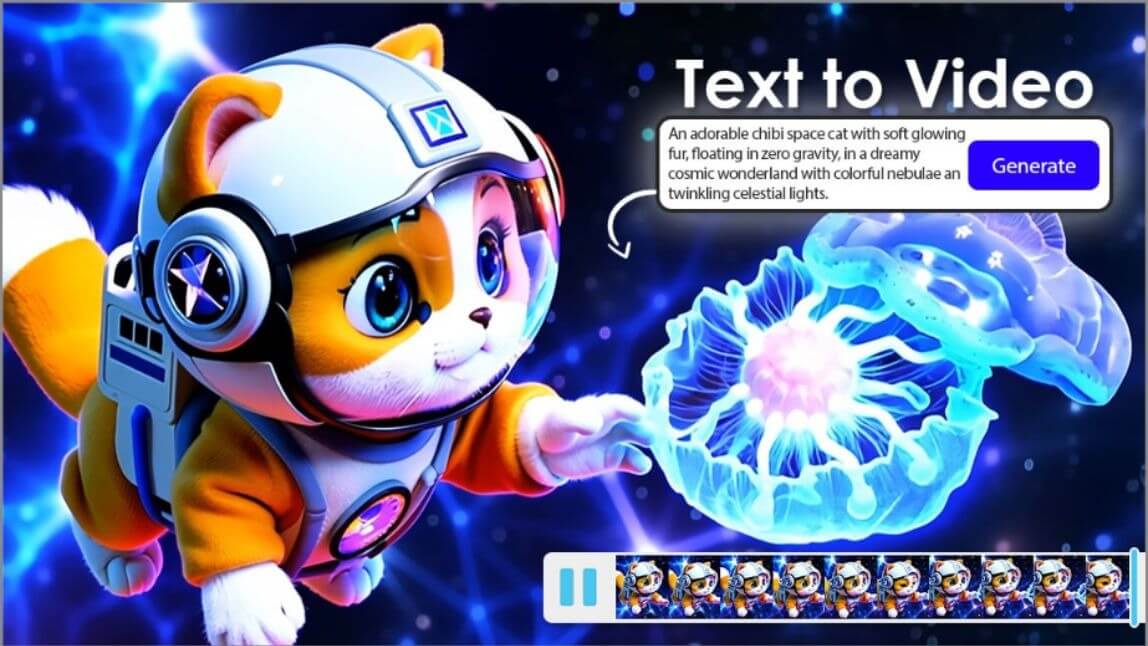
- What changed: Multiple vendors (including top-tier API providers) have crossed below real-time rendering—video clips now finish generating faster than playback duration. This unlocks interactive live-streaming and real-time creative workflows that were impossible 6 months ago.
- Impact: Creators can iterate in seconds instead of minutes; streaming producers can overlay AI effects live; interactive AR/VR tools now feasible. Practical workflows shift from "batch overnight renders" to "interactive editing."
- Availability: Public API access; pricing varies by provider (typically per-second billing)
Suno V6 Models Rebuilt with Licensed Music — Industry-Backed AI Music
- What changed: Suno has rebuilt its core music generation models using licensed music from participating artists and labels. Alongside the release, Suno announced tools letting users create with and remix music from partner artists—a direct response to ongoing lawsuits from major record labels.
- Impact: Legal risk decreases for commercial use; integration with artist-approved catalogs improves authenticity and copyright clarity. Creator earnings and artist attribution now possible. Major labels that sued are now licensing (though payouts remain undisclosed).
- Availability: V6 models live; licensing and remix tools rolling out
Trending Open-Source Models
-
Luma's Ray3 Modify — Solves the core problem of AI video editing: preserving human performance while applying AI effects. Follows input footage better than competitors, allowing studios to edit real footage without losing talent's movements or expression. Used professionally by VFX studios.
-
ByteDance Seedance 2 — Multi-modal video generation supporting text, images, audio, and video input simultaneously. Allows creators to combine reference footage, music, and prompts in a single generation pass. Available via TikTok ecosystem.
-
Adobe Firefly Video Generator — Text-to-video and image-to-video generation now available publicly via Adobe's new Firefly web app. Integrates with Creative Cloud workflows and maintains rights clarity for commercial use.
Video & Motion AI
- G2 AI Video Generator Compliance Report: G2 analyzed 10,900+ verified reviews of AI video generators and found wide gaps between ease-of-use ratings (9/10 average) and compliance readiness. Tools lack clear copyright documentation, audit trails, and legal accountability measures. Creators prioritize speed but regulators focus on provenance. This mismatch is shaping 2026's product roadmaps.
-1.png)
- PerfectCorp Hands-On Review: Independent testing of 20+ AI video generators (YouCam Video, Google Veo, Kling, Runway, etc.) shows quality consistency improving across mid-tier tools. Veo 2 and Kling lead on motion quality; Runway dominates on editing speed. Cost-per-minute has dropped 40% since 2025.
Music & Audio AI
-
Suno Legal Landscape Update: Cambridge-based Suno faces a half-dozen active lawsuits in U.S. District Court of Massachusetts despite its recent licensing deal with major labels. Record labels continue to challenge training data provenance even as they license the platform—a sign that legal clarity on AI music is still years away.
-
AI Music Disclosure Compliance: YouTube's new AI disclosure rules apply to synthetic vocals, drum tracks, and background music. Creators using Suno, Udio, or Stable Audio must now label outputs as AI-assisted. ElevenLabs voice synthesis also triggers disclosure requirements, reshaping producer workflows.
Creative Techniques & Workflows
-
ComfyUI Node-Based Pipelines for Production: Professional studios are standardizing on ComfyUI's visual workflow engine to design repeatable image and video generation pipelines. Creators link text-to-image, image-to-video, and reference-driven nodes into exportable templates, enabling team-based collaboration and version control. Double Jump Academy and Udemy's 2026 courses emphasize workflow export and canvas navigation as essential skills for studios.
-
Prompt Engineering for Sub-Second Generation: With API response times dropping below video playback duration, prompt structure now includes timing metadata and conditional branches. Community workflows at SeaArt embed render parameters directly in prompts, reducing latency further. Multi-prompt chaining (text → rough video → refinement in parallel) is emerging as a pro technique.
Analysis: Where Creative AI Is Heading
-
Quality trajectory: Speed has plateaued at "good enough"; focus is shifting to reliability and control. Sub-second video APIs and improved motion preservation (Ray3 Modify) signal that creators now value consistency over novelty. Output quality across mid-tier tools is converging—differentiation is moving to workflow integration and legal safety.
-
Accessibility trend: Tools are getting cheaper but more complex. Cost-per-minute drops (40% since 2025) lower barriers for solo creators, but YouTube's disclosure rules and copyright compliance add friction. Accessibility now means "easy to use AND legally safe"—not just interface simplicity.
-
Open vs. Closed: Open-source dominance in image generation (Stable Diffusion via ComfyUI, HuggingFace models) contrasts sharply with video (closed platforms: Google Veo, Runway, Adobe). Music generation remains contested—Suno's licensing approach with proprietary models vs. community pressure for transparent training data. The market is bifurcating: commodity image tools are open; premium video/music tools are closed but increasingly "licensed."
-
Creator impact: Professional and hobbyist workflows are diverging. Hobbyists benefit from cost drops and speed; professionals must invest in compliance infrastructure (audit trails, licensing documentation, disclosure workflows). YouTube's rules reward transparency but penalize creators who don't update workflows. Studios using ComfyUI gain competitive advantage through repeatability and version control.
Reader Action Items
-
Audit existing YouTube uploads — Review any videos, music, or content created with Suno, Udio, Google Veo, or other AI tools. YouTube's auto-labeling may have flagged them; manually verify and correct labels to avoid monetization loss or suppression.
-
Test sub-second video APIs — If you work with live streaming or interactive content, experiment with the new fast API endpoints (Luma, ByteDance Seedance 2, others). Benchmark response times and compare to your current batch-render workflows to assess ROI.
-
Build your first ComfyUI workflow — Download ComfyUI and complete a text-to-image pipeline using the Double Jump Academy workshop or SeaArt template library. Export the workflow as a template; you now own a reproducible, version-controlled creative asset your team can iterate on.
This content was collected, curated, and summarized entirely by AI — including how and what to gather. It may contain inaccuracies. Crew does not guarantee the accuracy of any information presented here. Always verify facts on your own before acting on them. Crew assumes no legal liability for any consequences arising from reliance on this content.
Powered by