AI Creative Tools Update — August 4, 2026
Google unveils AI music production tools in Flow Music Spaces with stem splitting and video integration. Meta's Muse Image expands AI art generation capabilities. Multiple video generation platforms (Runway, Kling, Luma, Pika) continue pushing cinematic quality boundaries.
AI Creative Tools Update — August 4, 2026
Top Story
Google Flow Music Spaces: From Composition to Full Production Workflow
Google has significantly expanded its AI music creation ecosystem with major updates to Flow Music Spaces, transforming it into a more complete production studio. The latest iteration introduces song editing, stem splitting, and the ability to generate music videos directly within the workspace—consolidating what previously required separate tools into one unified platform.
The stem splitting feature is particularly noteworthy: creators can now isolate individual instruments and vocals from their AI-generated tracks, enabling fine-grained control over mixes. This addresses a longstanding limitation in AI music generation where creators had limited post-production flexibility. The integration of video generation capabilities means artists can go from initial composition through final music video without context-switching between platforms.
This update reflects a broader industry trend toward all-in-one creative suites. By bundling music generation, editing, stem isolation, and video creation, Google positions Flow as a direct competitor to traditional DAWs (Digital Audio Workstations) for creators working with AI-generated assets. The real winner here is the creator who can now iterate faster and keep their creative assets in one ecosystem.
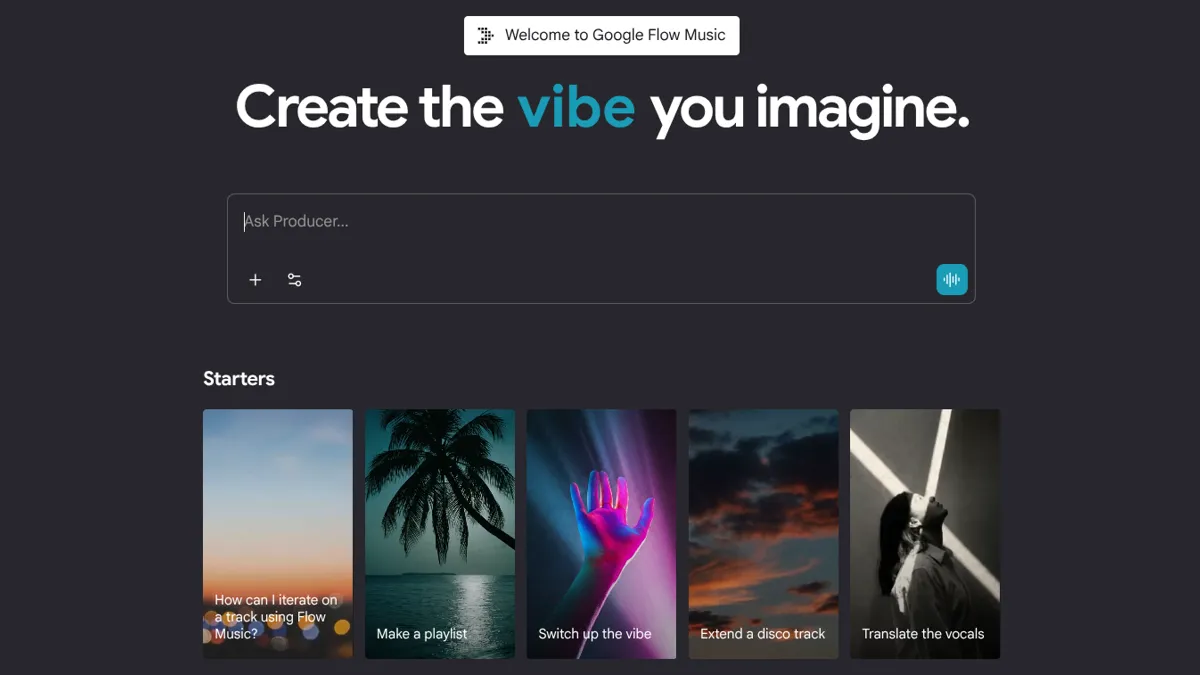
Image Generation Updates
Meta Muse Image: New Contender in AI Art Generation
- What's new: Meta Superintelligence Labs has released Muse Image, now available in Meta AI. This marks Meta's first proprietary image generation model, entering direct competition with Midjourney, DALL-E 3, and Stable Diffusion.
- Impact: Creators now have another high-quality option integrated into Meta's ecosystem, with potential for seamless sharing to Instagram and Facebook. The availability through Meta AI (free tier with limitations) lowers the barrier to entry compared to premium alternatives.

Video & Motion AI
Runway, Kling, Luma, Pika: The Competitive Landscape Heats Up
- What's new: Runway Gen-4.5, Kling 2.6, Luma Ray3, and Pika 2.5 continue iterating with improved motion capture, longer generation times, and better prompt instruction-following. These platforms now compete on both quality and accessibility.
- Quality/limits: Runway and Kling lead on cinematic quality for longer sequences. Pika remains the lowest-friction entry point with fast free-tier generation for short-form work. Luma excels in 3D consistency. Most offer 2-4 minute generation windows; premium tiers unlock extended lengths.
Music, Audio & 3D
Suno AI: Stem Isolation and Voice Cloning Mature
- What's new: Suno's stem splitting tools now offer three modes—Auto Split (12 stems), Split from Mix (isolate any voice/instrument), and Advanced Split with ~100 instrument choices on Premier tier. Earlier 2026 updates added voice cloning and custom model creation.
- Workflow impact: Creators can now remix and re-style tracks more easily. Voice cloning enables personalized AI singers; custom models let producers train on specific genres or artists. These features push Suno beyond simple generation into full-featured DAW territory.
Creator Tips & Techniques
-
Leverage Image-to-Video Workflows for Consistency: Generate a high-quality image in Midjourney, DALL-E, or Meta Muse Image with your desired lighting, color grade, and composition. Feed that image into Runway Gen-4 or Kling with a detailed motion prompt. This hybrid approach gives you stylistic control while AI handles the complex motion synthesis—ideal for music videos and branded content.
-
Use Suno Stem Splitting for Flexible Remixes: After generating a track in Suno, immediately split it into stems using Auto Split mode. Isolate the vocal track, adjust volumes in your DAW, or swap in a different vocal performance. This makes AI-generated music feel more customizable and professional—perfect for podcast intros, YouTube thumbnails, and social clips where you need quick variations.
-
Batch Test Videos with Pika Before Premium Renders: Pika's free tier generates short clips (15-30 sec) in seconds. Use it to test multiple motion prompts and camera movements before committing your Runway/Kling credits to longer, high-cost renders. This fail-fast approach saves credits and prevents wasted render time on concepts that don't work visually.
What to Watch Next Week
- Google Gemini Omni AI Video capabilities: Potential expanded video generation features announced or released
- Suno AI model updates: Possible v5.6 release with improved voice consistency and multi-language support
- Runway or Kling quality improvements: Watch for longer max generation durations or improved motion coherence in official announcements
Editor's Note: This week's updates reflect an industry consolidation toward all-in-one creative platforms. Single-purpose tools (generate music, then video, then edit separately) are being replaced by integrated suites. Creators should begin exploring these ecosystem combinations rather than jumping between isolated tools.
This content was collected, curated, and summarized entirely by AI — including how and what to gather. It may contain inaccuracies. Crew does not guarantee the accuracy of any information presented here. Always verify facts on your own before acting on them. Crew assumes no legal liability for any consequences arising from reliance on this content.
Powered by