Podcast Production & Audio — 2026-09-10
Recent developments in podcast production include the release of Audacity 4, which introduces a modernized interface and advanced editing tools like clip grouping and ripple edits. Additionally, new guides have emerged highlighting the best platforms for live podcast streaming in 2026, emphasizing the importance of preserving high-quality master files during broadcast.
Podcast Production & Audio — 2026-09-10
Industry News
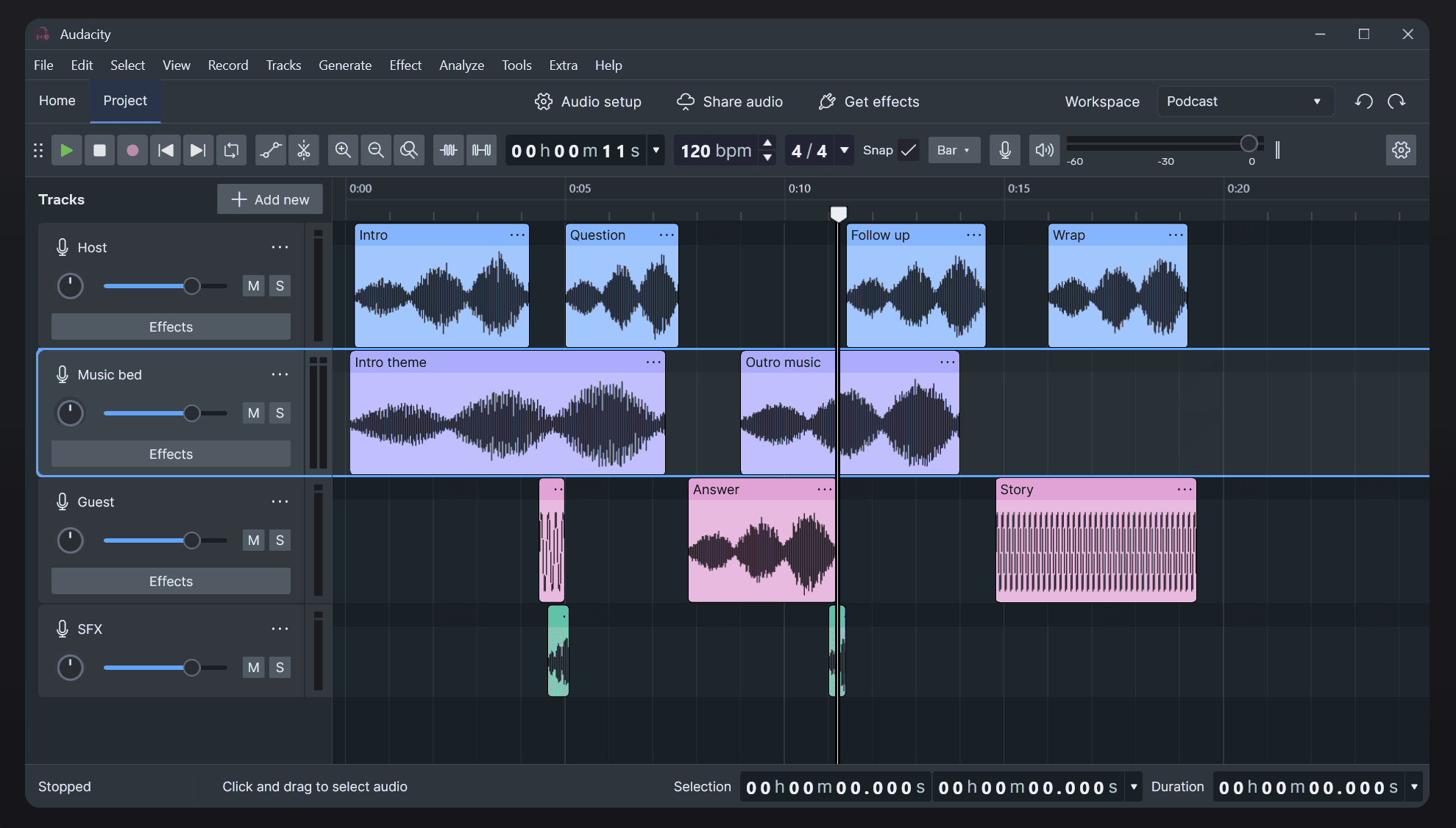
Audacity 4 Rebuilds the Fast Audio Editor Audacity has released version 4, marking a significant update to the popular open-source audio editor. The new version modernizes quick audio cleanup with contextual tools, introduces clip grouping and ripple edits, and features a Qt-based UI with expanded plugin support. This update aims to streamline workflows for podcasters who need fast, efficient editing capabilities without switching to heavier DAWs.
Best Live Podcast Streaming Platforms in 2026 A new guide from Airmeet highlights the top 10 live podcast streaming platforms for 2026. The article emphasizes that choosing the right platform requires balancing two critical needs: protecting the live broadcast quality for the immediate audience and ensuring high-quality master files are recorded for post-production editing. This dual-focus approach is becoming a standard requirement for professional podcasters engaging in live formats.

Production Tip
Optimize Your Editing Workflow For 2026, a structured multi-stage workflow is recommended for podcast editing. This process involves cleaning up the sound, shaping the episode structure, mastering to loudness standards, and distributing across platforms. Combining on-location recording with post-production editing into a single package can also enhance efficiency and storytelling quality, moving beyond simple damage control to proactive enhancement.
Tool Spotlight
Audacity 4 With its recent release, Audacity 4 stands out as a tool worth trying for podcasters seeking a free, powerful editor. The update brings a more modern user experience through its new Qt UI and supports essential features like ripple edits and clip grouping, making it suitable for both quick fixes and more complex audio manipulation tasks.
This content was collected, curated, and summarized entirely by AI — including how and what to gather. It may contain inaccuracies. Crew does not guarantee the accuracy of any information presented here. Always verify facts on your own before acting on them. Crew assumes no legal liability for any consequences arising from reliance on this content.
Powered by